How to Use a Shopify Profit Margin Calculator (The Right Way)
Use our Shopify profit margin calculator guide to stop guessing. Track hidden costs, improve ecommerce profitability, and make smarter decisions.

You log into your Shopify dashboard, see that big, bold revenue number staring back, and feel a jolt of excitement. Sales are up. Growth looks good. But then, a nagging question creeps in: how much of that did we actually keep?
For small-to-mid-size Shopify brands, this is a universal challenge. Your revenue data lives in Shopify, ad spend is siloed in Meta and Google, shipping costs are with your 3PL, and your COGS are buried in a spreadsheet. This fragmented data makes it nearly impossible to answer the most critical question in your DTC business: are we truly profitable? Relying on top-line revenue alone is a trap that can lead you to scale a business that's silently losing money.
Why Shopify's Dashboard Hides Your True Profit
That top-line revenue figure in your Shopify admin is seductive. It suggests momentum and success, but it’s only showing you one piece of a much larger, more complicated puzzle. The reality for most DTC founders is a constant battle with razor-thin margins—and often, they don’t even realize it until it's too late.
The root of the problem is manual data crunching. All the costs that eat into your revenue are scattered across a dozen different platforms.
Your product costs are in one place. Shipping fees from your carriers are somewhere else. Then you have Shopify’s transaction fees, payment processing fees, and all your ad spend in separate dashboards. This disconnect makes it nearly impossible to get a clear, real-time view of your profitability. Answering a simple question like, "Was our BFCM campaign profitable?" can take hours of painful spreadsheet work.

From Vanity Metrics to Actionable Margins
Without a clear, unified system, you’re flying blind. You could be scaling ad campaigns that are actually tanking your ROAS. Or maybe you're rushing to restock a "bestselling" product that, once you factor in all the hidden costs, has a negative contribution margin. This is where AI-powered analytics can transform your DTC operations, replacing manual work with automated clarity.
To get past surface-level reports, you need to understand the three distinct layers of profitability:
- Gross Profit Margin: This is your starting point. It’s the profit left after you subtract the Cost of Goods Sold (COGS) from your revenue. It tells you how profitable your actual products are.
- Contribution Margin: This goes a step deeper. It also subtracts variable costs directly tied to a sale, like shipping, payment processing fees, and customer acquisition costs (CAC). This metric is crucial—it shows you how much profit each sale contributes to covering your fixed overhead.
- Net Profit Margin: This is the bottom line. It’s what’s left after you account for all your expenses—COGS, variable costs, and fixed costs like rent, salaries, and software subscriptions. This is your true, final profitability.
A simple Shopify profit margin calculator can give you a rough estimate, but it often fails to capture the dynamic, blended costs of a real DTC operation. True clarity comes from unifying your data sources with an AI-powered analytics platform, not just plugging numbers into a formula.
This lack of real-time clarity leads to poor decisions on pricing, marketing spend, and inventory management. An accurate system for calculating profit isn’t just a "nice-to-have" tool; it’s a critical instrument for survival and growth in the hyper-competitive world of DTC ecommerce. It's the difference between celebrating empty revenue and building a sustainable, truly profitable Shopify brand.
Nailing Down Your True Cost of Goods and Shipping
To get a real grip on your Shopify profit margin, you have to start at the source: the actual cost of your products and what it takes to get them into your customers' hands. For most DTC brands, this is where the first—and often biggest—profit leaks happen. A rough estimate just isn't going to cut it here.
Too many founders stop at the landed cost—the price they paid their supplier. But that's just the beginning. To find your true Cost of Goods Sold (COGS) for each SKU, you have to account for every penny spent to get that product sitting on your warehouse shelf, ready to be picked, packed, and shipped.
This means digging into the numbers and including all the little costs that silently eat away at your margins.
Building Your True COGS
Your actual product cost is a blend of several different expenses. If you don't have an automated system yet, tracking these in a spreadsheet is a tedious but essential first step. It's a rite of passage for every growing Shopify brand.
Your COGS checklist has to include:
- Unit Manufacturing Cost: The straightforward price you pay your supplier for each item.
- Inbound Freight: The cost to ship products from your manufacturer to your warehouse or 3PL, allocated on a per-unit basis.
- Import Duties & Tariffs: Taxes paid to bring international goods into your country. These can fluctuate and have a massive impact on your bottom line.
- Custom Packaging: The cost of your branded boxes, mailers, and any other custom materials that create that special unboxing experience.
Forgetting just one of these can wreck your entire profitability calculation. You'll end up thinking a product is a winner when it's actually losing you money on every sale, hurting key metrics like AOV and LTV.
As a founder, you have to shift your mindset from "What did the product cost?" to "What did it cost to get this product ready to sell?" The difference between those two questions is often where your profit margin lives or dies.
Untangling the Shipping Cost Nightmare
Shipping is the silent killer of DTC margins. It’s not a single, fixed number; it's a dynamic, complicated expense that changes with every single order. And that "free shipping" offer? It's not free—it just means you're paying for it. Accurately accounting for that cost is non-negotiable for any serious Shopify profit analysis.
Your real shipping cost per order is much more than just the price on the label. You have to factor in:
- Carrier Rates: The base fee from services like USPS, FedEx, or DHL, which varies by weight and destination.
- Dimensional (DIM) Weight Charges: Carriers often charge based on a package's size, not just its weight—a classic "gotcha" for brands selling bulky items.
- Fuel Surcharges: The variable fee carriers tack on to cover fluctuating fuel prices.
- Shipping Insurance: The cost to protect yourself against lost or damaged packages.
- Pick & Pack Fees: If you use a 3PL, this is the labor cost to fulfill each order.
Only by meticulously tracking these COGS and shipping variables can you build a reliable foundation. This precise, SKU-level data is the bedrock of an accurate profit calculation, moving you from foggy estimates to the sharp clarity you need to improve profitability and retention.
The Hidden Costs Silently Killing Your Shopify Margins
Alright, you've nailed down your COGS and shipping. You’re probably feeling pretty good, thinking you have a solid handle on your store's profitability. But for most Shopify founders, this is the exact moment a second, more sneaky wave of costs starts to silently eat away at the bottom line.
These are the operational expenses and platform fees that feel like the "cost of doing business," but they add up faster than you think. This is the gray area where so many DTC brands unknowingly leak profit, watching a seemingly healthy gross margin turn into a dangerously thin net margin. A basic profit calculator just won't cut it—it misses this nuance and can give you a false sense of security.
Platform and Transaction Costs
Let's start with the obvious one: Shopify. It's a fantastic platform, but its costs go far beyond your monthly subscription. The real expenses are the variable fees tied directly to every single sale you make.
- Shopify Transaction Fees: If you're not using Shopify Payments, you're paying a fee on every sale, anywhere from 0.5% to 2%. It’s a significant cut right off the top.
- Payment Processing Fees: Whether it's Shopify Payments, PayPal, or Stripe, you're getting hit with a fee for every credit card transaction, usually around 2.9% + $0.30, which directly shrinks the cash you actually collect.
Put them together, and these two fees can easily shave 3-5% off your total revenue before you even think about anything else.
The Operational Overhead Creep
Beyond platform fees, there's your entire operational stack. Every app, software subscription, and service you use is another recurring drain on your profitability. It's death by a thousand paper cuts.
Even Shopify's own financials tell this story. According to Shopify's financial trends from recent analyses, while gross profit is high, operating margin is much lower, a perfect example of how significant operational expenses are. This is a reality every merchant on the platform faces in their own P&L.
For a growing Shopify brand, the question isn’t just "What did this sale make me?" but "After all the software, fees, and returns, what did this sale cost me?" The difference is where sustainable growth happens.
So, where else is the money going? Here are the usual suspects:
- Monthly App Subscriptions: That slick review app? Your email marketing platform? They all have a monthly price tag.
- Theme Costs: A one-time purchase or ongoing support, your store's theme is a real business expense.
- 3PL & Fulfillment Fees: This is more than just the shipping label. Think pick-and-pack fees, storage costs, and even receiving fees.
- Customer Service Software: Tools like Gorgias or Zendesk are essential for scaling, but they add to your overhead.
- Discounts and Returns: Every discount code is a direct hit to your revenue. Returns are even worse—you eat shipping costs both ways and pay for restocking.
To really get a grip on this, you have to track all these expenses. It's the only way to build a true, actionable picture of your store’s financial health.
Hidden Shopify Costs That Impact Your Profit Margin
| Cost Category | Specific Examples | How It Impacts Margin |
|---|---|---|
| Transaction Fees | Shopify Payments, PayPal fees, Stripe fees, Shopify transaction fees (for non-Shopify Payments users). | A direct percentage reduction on every single sale, typically 2.5% - 5% of your total revenue. |
| Platform Costs | Monthly Shopify subscription plan, app subscriptions (reviews, email, loyalty), premium theme costs. | Increases your fixed monthly overhead, raising your break-even point and reducing net margin. |
| Marketing & CAC | Ad spend (Meta, Google, TikTok), influencer fees, affiliate commissions, content creation costs. | Directly impacts your Customer Acquisition Cost (CAC), which must be recovered from the margin on each sale. |
| Fulfillment Costs | 3PL pick-and-pack fees, storage fees, packaging materials (boxes, mailers, tape), receiving fees for new inventory. | Adds variable costs to each order beyond just the shipping label, directly eroding your contribution margin. |
| Returns & Refunds | Return shipping labels, restocking labor, damaged/unsellable inventory, refund processing fees. | A double-hit: you lose the revenue from the sale and incur additional costs to process the return. |
| Operational Tools | Customer service software (Gorgias, Zendesk), design tools (Canva), project management software (Slack, Asana). | Contributes to your Selling, General & Administrative (SG&A) expenses, impacting your overall net profitability. |
By itemizing every one of these expenses, you can finally move beyond surface-level revenue and stop margin erosion. This is the critical step toward building a truly profitable DTC business.
How To Calculate Profitability With Real Examples
Knowing the formulas is one thing, but the real lightbulb moment happens when you plug in your own numbers. Let's walk through two scenarios every DTC brand runs into. This gives you a clear framework you can use for your own store, whether you’re using a spreadsheet or a dedicated Shopify profit margin calculator.
Example One: A Single SKU Order
Let's say you sell a premium D2C coffee blend—we'll call it "Founder's Fuel." A customer buys a single bag. Here’s the real-world breakdown.
Revenue:
- Product Price: $25.00
Variable Costs:
- Cost of Goods Sold (COGS): $7.50 (This is the beans, bag, label, and inbound freight).
- Shipping & Fulfillment: $5.25 (Postage plus your 3PL’s pick-and-pack fee).
- Payment Processing: $1.03 (Shopify Payments at 2.9% + $0.30 on the $25.00 sale).
- Customer Acquisition Cost (CAC): $6.00 (Your allocated ad spend from Meta to get this one sale).
Total variable cost for this order comes to $19.78.
Now, we can find the Contribution Margin—the key metric showing how much cash this sale contributes to covering your fixed costs like rent and salaries.
Contribution Margin = Total Revenue - Total Variable Costs
$25.00 - $19.78 = $5.22
That one bag of coffee just put $5.22 in your pocket to help pay the bills, giving you a contribution margin percentage of 20.9%—a vital health metric for your product.
Example Two: A Multi-Item Order With a Discount
Now for a more realistic scenario. A customer buys two bags of "Founder's Fuel" and one "Artisan Mug," using a 15% off discount code. This is where manual math gets messy, fast.
Revenue Breakdown:
- 2x Founder's Fuel Bags: $50.00
- 1x Artisan Mug: $18.00
- Subtotal: $68.00
- 15% Discount: -$10.20
- Final Revenue: $57.80
Blended Variable Costs:
- COGS: $23.00 (Two bags at $7.50 each, plus one mug at $8.00).
- Shipping & Fulfillment: $7.50 (The package is heavier, so costs go up).
- Payment Processing: $1.98 (2.9% + $0.30 on the discounted total of $57.80).
- Customer Acquisition Cost (CAC): $9.00 (It cost a bit more to acquire a customer with a higher AOV).
Total variable cost shakes out to $41.48.
Let's run the contribution margin calculation again.
Contribution Margin = Final Revenue - Total Variable Costs
$57.80 - $41.48 = $16.32
While the total profit in dollars is higher, the margin percentage is now 28.2%. It's a much healthier margin, showing the power of increasing your Average Order Value (AOV) to improve profitability.
These examples show how every variable creates a unique profit signature for every order. It’s easy to miss these costs as they quietly eat away at your bottom line.
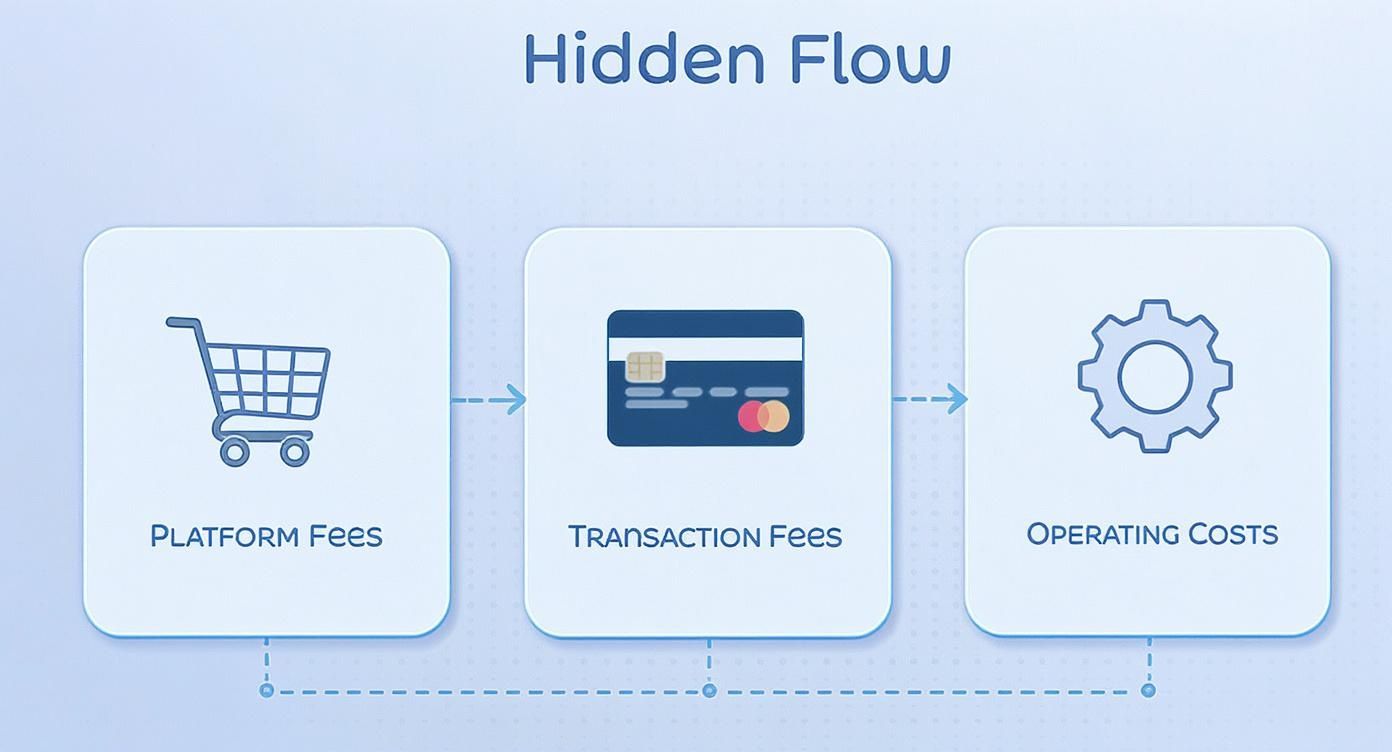
This flow from platform fees to transaction fees and operating costs shows how multiple layers of expenses are stacked against your revenue on every single order.
Automating Profit Insights With AI Analytics
Look, trying to calculate profit margins in a spreadsheet is more than just a headache—it’s a huge liability for any growing Shopify brand. It’s slow, it’s full of human error, and by the time you’re done, the profit snapshot you’ve created is already stale. As a founder, you end up making critical calls on ad spend and inventory with outdated data.
This is where AI-driven analytics platforms completely change the game for DTC founders. Instead of you spending hours chasing down numbers, these tools act like an intelligent, always-on Shopify profit margin calculator that connects all your data automatically.

From Manual Crunching to Automated Clarity
Imagine connecting all your scattered data sources into one clean, unified view. An AI analytics tool like MetricMosaic plugs directly into:
- Your Shopify store for order and customer details.
- Ad platforms like Meta and Google Ads to pull in your real-time CAC.
- Email software like Klaviyo to measure campaign profitability.
- Your 3PL for accurate, up-to-the-minute fulfillment costs.
The AI does the heavy lifting, automatically cleaning and blending this data to deliver real-time, SKU-level profitability insights. The hours you used to burn wrestling with VLOOKUPs can finally be spent on actual strategy to improve ROAS, LTV, and retention.
The Shopify ecosystem has seen an explosive rise, with Shopify's incredible merchant revenue growth creating a data mess that manual tools can’t keep up with. This makes AI-powered analytics a necessity for DTC brands that want to compete.
Moving From Reactive to Proactive Strategy
True clarity isn’t just about seeing yesterday's numbers faster. It’s about using data to see what’s coming next. This is where the power of AI really shines, with next-gen trends like predictive insights and conversational analytics.
AI-powered analytics isn't just a better calculator; it's a strategic co-pilot. It transforms your complex store data into a clear story, telling you not just what happened, but why it happened and what you should do next.
These next-gen platforms can surface predictive insights, alerting you to which products are seeing margin erosion or which ad campaigns are about to become unprofitable. Some even use conversational analytics, letting you ask, "What was my net profit on the new product launch last week?" and get an instant, accurate answer.
This automated intelligence gives you the confidence to optimize pricing, marketing spend, and inventory. You stop reacting to last month's P&L and start shaping next month's profit, turning your store's data into your most powerful competitive advantage.
A Few Lingering Questions on Shopify Profit Margins
Even with the right formulas, founders usually have a few lingering questions. Getting the details right is what separates a healthy Shopify brand from one that's just spinning its wheels.
What’s a “Good” Net Profit Margin for a Shopify Store?
This is the million-dollar question, and the honest answer is: it depends. But a solid benchmark for a healthy Shopify DTC brand is somewhere in the 10% to 20% net margin range.
If you’re just starting out, you might operate at the lower end (or even at a loss) while you pour money into growth. That's normal. More established brands can often push past 20%. The most important thing isn't hitting a magic number, but tracking your margin trends over time. Are you getting more efficient as you scale?
How Do I Actually Calculate Profit Margin Per Product in Shopify?
You’d think this would be easy, but Shopify's native analytics don't really give you a clean way to see true, net profit per SKU. The manual way involves a painful process of exporting sales data and mashing it together in a spreadsheet with your COGS, shipping costs, transaction fees, and allocated marketing spend. To get accurate, real-time insights without pulling your hair out, an AI-powered analytics platform is the only scalable solution.
What's the Difference Between Markup and Profit Margin?
This one trips people up all the time. They are not the same thing.
Markup is a pricing tool. It’s what you add to your cost to get your selling price. If a product costs you $50 and you sell it for $100, your markup is 100% ($50 markup / $50 cost).
Profit Margin is a profitability metric. It’s the percentage of the selling price that is profit. Using the same example, your gross profit margin is 50% ($50 profit / $100 price). Markup sets the price; margin tells you how much of that price you actually keep.
Which Shopify Fees Hammer My Profit Margin the Most?
A few usual suspects have an outsized impact on your bottom line. Payment processing fees are a big one, since they take a slice of every single sale. Transaction fees can also add up. Beyond that, the two silent margin killers are often monthly app subscriptions and 3PL fulfillment costs. These are significant, recurring expenses that can quickly erode your profits if you aren't watching them like a hawk.
Stop wrestling with spreadsheets and start getting the automated, story-driven insights you need to grow faster. The next step is to move from awareness to action. MetricMosaic unifies all your data into one clear view, turning complexity into actionable profit strategies. Start your free trial today.