Your Guide to the Shopify Analytics Dashboard
Transform your Shopify data into growth. This guide covers the key metrics and best practices for your Shopify analytics dashboard to boost sales and ROI.
If you're a Shopify founder, the daily grind can feel like trying to steer a ship in a storm with a busted compass. You're pouring your heart and soul into the brand, but the data is scattered across so many different apps that it's nearly impossible to tell what's actually moving the needle. Is that ad spend driving real profit or just a bunch of clicks? Which products are your hidden champions, and which are quietly bleeding you dry?
Your Shopify Store Is Talking—Are You Listening?
This is a story we hear all the time from growing DTC brands. You've got one set of data in Shopify, another in Google Analytics, a third siloed in Meta Ads, and yet another in Klaviyo. Trying to tape all these reports together in a spreadsheet isn't just a massive time suck; it's a recipe for costly mistakes and unreliable reports.
The Problem with Fragmented Data
When your data lives on separate islands, you can't get straight answers to the most important questions about your growth. This forces you into a reactive cycle of guesswork instead of building a proactive, data-informed strategy. The usual headaches include:
- Unclear ROI: You see money going out for ads and revenue coming in, but connecting the exact dollar spent to the exact dollar earned feels like a guessing game.
- Hidden Profit Drains: A product might look like a bestseller on the surface, but once you factor in customer acquisition costs (CAC), shipping, and returns, it could actually be losing you money. Native reports almost always miss this crucial context.
- Buried Opportunities: You might have a super-profitable customer segment or a marketing channel with huge untapped potential, but without a unified view, these insights stay hidden in the noise.
For a lot of founders, "analytics" feels like a chore—a confusing jumble of numbers that creates more questions than it answers. The goal was never to have more data. It's to have more clarity. It's about turning that noise into a clear story that tells you exactly what to do next to improve your ROAS and LTV.
This is where a modern, AI-powered Shopify analytics dashboard completely changes the game. Think of it as a central command center for your business, one that leaves clunky spreadsheets in the dust. By automatically pulling all your data into one place, AI simplifies analytics, transforming that overwhelming complexity into your biggest competitive advantage.
What Exactly Is a Shopify Analytics Dashboard?
Think of your Shopify analytics dashboard like the cockpit of an airplane. When you're flying, you can't just "feel" your altitude or guess your fuel level. You need a set of reliable instruments giving you a clear, immediate picture of everything that matters. Your DTC store is exactly the same—you need instant visibility to steer your brand in the right direction.
At its core, a Shopify analytics dashboard is your command center. It takes all the raw, messy data your store generates—every click, every order, every visitor session—and translates it into something you can actually use to make smart decisions. It's built to give you quick, clean answers to the questions that keep you up at night: What are my best-selling products? Where are my most valuable customers coming from? Is that new ad campaign actually making me money?
But it's crucial to understand the difference between the basic reports that come with your Shopify plan and a true, integrated analytics dashboard. They aren't the same thing.
Native Shopify Reports vs. Integrated Dashboards
Shopify's built-in analytics is a great starting point. Seriously. It's right there in your admin, and it gives you a solid overview of your store's basic vital signs. You can track sales trends, see which products are moving, and get a general feel for your traffic. If you're just getting started, it's incredibly useful.
But as your DTC brand grows, you'll start to feel its limitations. The native Shopify dashboard is a silo. It only sees what happens inside the Shopify ecosystem. It can't tell you the full story of your customer's journey—from the first Meta ad they clicked to the Klaviyo email that brought them back for a second purchase. This is where an integrated dashboard goes from a "nice-to-have" to a necessity for growth.
An advanced Shopify analytics dashboard doesn't just report on sales. It stitches your Shopify data together with your marketing channels, email platform, and ad accounts to create a single source of truth for your entire business.
Why a Centralized Dashboard Is So Important
Let's be honest: manually pulling reports from Shopify, Google Analytics 4, and your ad platforms is a painful, time-sucking chore. It's not just slow; it's a recipe for costly mistakes. A real analytics dashboard automates all of that, turning what used to be hours of manual data crunching into a real-time, all-in-one view of your business health.
This unified view is where the magic happens. It lets you move past surface-level metrics like revenue and dig into the numbers that really drive growth:
- Customer Lifetime Value (LTV): Find out what a customer is actually worth over months or years, not just their first order.
- Return on Ad Spend (ROAS): See exactly how much profit you're making (or losing) on every dollar you spend on ads.
- Product Profitability: Uncover which products are your silent heroes—the ones actually driving your bottom line after all costs are accounted for.
This is where AI-powered analytics is revolutionizing the game. Modern platforms use AI to do the heavy lifting of connecting the dots. Instead of just showing you a chart, they surface predictive insights and explain the "why" behind the numbers. These tools can flag opportunities and warnings a human would almost certainly miss in the raw data.
A powerful Shopify analytics dashboard isn't just about looking at data; it's about turning that data into smarter, faster, and more profitable decisions.
The Key Metrics That Actually Drive Growth
A cluttered dashboard is a useless one. It's way too easy to get lost in a sea of "vanity metrics"—numbers like website sessions or social media likes that look good on paper but don't tell you a thing about the health of your DTC business. To actually grow your Shopify store, you need to focus on the metrics that are tied directly to your bottom line: profitability, retention, and customer value.
These are the numbers that tell a story about how profitable you are, how loyal your customers are, and whether your marketing is actually working.
Think of your Shopify analytics dashboard less like a report card and more like a doctor's diagnostic tool. Each key metric is a vital sign, signaling the health of a specific part of your operation. When you understand how they all work together, you can stop just tracking data and start making strategic, profit-driving decisions.
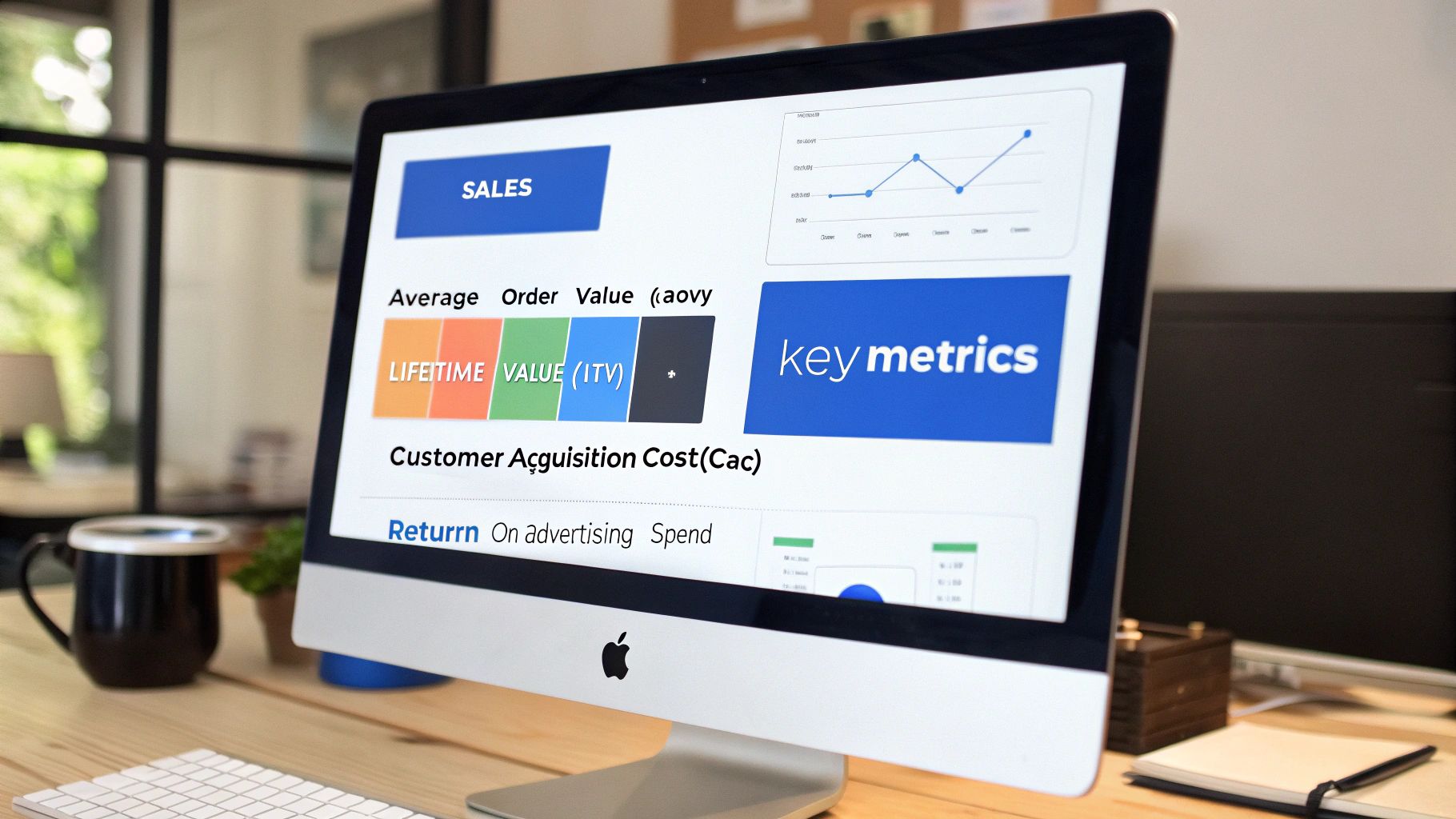
So, which metrics should you be watching like a hawk? Let's break down the essentials that truly move the needle.
We've put together a quick-reference table to demystify the most important metrics you'll find in a well-built Shopify dashboard. This isn't just a list of acronyms; it's a guide to the questions your data should be answering every single day.
Key Shopify Metrics and What They Tell You
| Metric | What It Measures | Why It Matters for Growth |
|---|---|---|
| LTV | Total revenue a customer brings in over their entire relationship with you. | Tells you if your products and brand create loyal, repeat buyers. Higher LTV means a more sustainable business. |
| CAC | How much it costs, on average, to acquire one new customer. | Measures the efficiency of your marketing and sales engine. Lowering CAC directly boosts profitability. |
| AOV | The average amount a customer spends in a single transaction. | Shows if you're successfully encouraging larger purchases through bundles or upsells. A higher AOV can improve ROAS. |
| ROAS | The revenue generated for every dollar spent on advertising. | The go-to metric for judging the direct performance of your ad campaigns. |
| Retention | The percentage of customers who return to make another purchase. | The ultimate test of customer satisfaction and product-market fit. Improving retention is cheaper than acquiring new customers. |
| Profitability | The true profit margin on products after all costs are factored in. | Uncovers which products are actually making you money versus just generating revenue. |
By keeping an eye on these numbers, you can get a surprisingly complete picture of your store's performance—and pinpoint exactly where to focus your energy for maximum impact.
The Profitability Power Couple: LTV & CAC
If you only have time to track two metrics, make them these. Customer Lifetime Value (LTV) and Customer Acquisition Cost (CAC) are the yin and yang of sustainable DTC growth.
- Customer Lifetime Value (LTV): This is the total revenue you can expect from a single customer over their entire time buying from you. A high LTV means people love what you sell and keep coming back for more. It's the ultimate sign of a healthy brand.
- Customer Acquisition Cost (CAC): This is simply the total sales and marketing cost divided by the number of new customers you brought in. It answers the question: "How much did we have to spend to get that new customer in the door?"
The real magic happens when you look at them together. A healthy e-commerce business has an LTV that is much higher than its CAC. The industry benchmark is an LTV:CAC ratio of at least 3:1. If your CAC is climbing but your LTV is flat, you're paying more and more for customers who aren't sticking around. That's a classic sign of a leaky bucket—a red flag you absolutely cannot afford to ignore.
The Immediate Revenue Boosters: AOV & ROAS
While LTV gives you the long-term view, Average Order Value (AOV) and Return on Ad Spend (ROAS) tell you what's happening right now with your sales and marketing.
- Average Order Value (AOV): This is just the average dollar amount spent each time a customer places an order. Bumping this up with tactics like product bundles, clever upsells, or a "free shipping" threshold is one of the fastest ways to increase revenue without needing more traffic.
- Return on Ad Spend (ROAS): This measures the gross revenue you get back for every dollar you put into advertising. For example, a 4:1 ROAS means you're making $4 in revenue for every $1 you spend on ads. It's the front-line metric for figuring out if your ad campaigns are actually working.
AI-powered analytics tools can even show you a blended ROAS (your return across all marketing channels combined) and a profit-adjusted ROAS (POAS), which gives you a much truer picture of marketing profitability.
The Keys to Long-Term Success: Retention & Profitability
Finding new customers is expensive. Sustainable growth is all about keeping the ones you already have and understanding which products make them stick around. This is where retention cohorts and product profitability come into play.
- Customer Retention Cohorts: A cohort analysis is a fancy way of saying you group customers by the month they made their first purchase (e.g., the "January 2024 Cohort") and then track how many of them come back over time. It's the single best way to measure product-market fit and see if your customer experience is creating true loyalty.
- Product Profitability: This goes way deeper than just revenue. It calculates the actual profit margin on every single SKU after you subtract COGS, shipping, transaction fees, and even an allocated slice of your ad spend. You might be shocked to discover your "bestseller" is barely breaking even.
The native Shopify Analytics Dashboard is a great starting point for monitoring sales and customer behavior. Its simple design is perfect for beginners, but many growing brands hit a wall. Why? Because it often gives you surface-level metrics without the ability to dig deeper. Research shows that businesses that regularly track their goals are far more likely to achieve them. Yet, to truly optimize your marketing spend and inventory, you need unified insights that the default reports just can't provide. You can read the full research about Shopify analytics on sarasanalytics.com to see how advanced tools fill this gap.
Ultimately, a well-built Shopify analytics dashboard doesn't just throw numbers at you; it tells you what to do next. It connects the dots between your ad spend, your customer behavior, and your bottom line, turning a confusing mess of data into your most valuable growth asset.
3 Ways to Build Your Shopify Analytics Dashboard
Alright, you know you need a better grip on your numbers. But going from that realization to having a dashboard that actually helps you make decisions? That's the real challenge.
For most Shopify founders, this journey usually takes one of three paths. There's no single "right" answer—it all comes down to where you are in your growth, what kind of resources you have, and how fast you need to turn data into dollars.
Let's break down these three routes, from the out-of-the-box starting line to the future of AI-driven insights.
Approach 1: The Native Shopify Analytics Dashboard
When you're just getting your store off the ground, the built-in Shopify analytics dashboard is your best friend. It's there, it's free, and you don't have to do a thing to set it up. Think of it as your ground floor, giving you the most essential metrics at a glance.
- What It's Good For: Perfect for quick, daily check-ins. You can see your sales, pinpoint your best-selling products, and get a rough idea of your site traffic. It's great for answering simple questions like, "How'd we do yesterday?" or "What's our most popular product this week?"
- Where It Falls Short: You'll outgrow it, and probably faster than you think. The native dashboard lives in a silo. It can't tell you how your Meta ad spend is connected to your customer LTV, leaving you guessing about your true ROI. The reports are rigid, so digging into the why behind the numbers is pretty much impossible.
It's like the default weather app on your phone. It'll tell you if it's sunny today, but it won't give you the detailed meteorological map you need to plan a cross-country flight.
A simple dashboard using only Shopify data might look something like this:
- Top Row: Total Sales, Online Store Sessions, Conversion Rate.
- Middle Row: Top Products by Units Sold, Sales by Traffic Source.
- Bottom Row: Average Order Value, Top Landing Pages.
Clean, simple, but it's only telling you a fraction of the story.
Approach 2: Traditional Business Intelligence (BI) Tools
The next logical step for many growing brands is graduating to a traditional BI tool like Looker Studio (formerly Google Data Studio) or Tableau. These platforms are seriously powerful, letting you pull data from all over the place to build totally custom dashboards. This is the roll-up-your-sleeves, DIY approach.
- What It's Good For: Flexibility. Pure and simple. You can connect Shopify, Google Analytics, your ad platforms, your email provider—you name it—and get a single, unified view of your business. If you can dream up a specific KPI or a unique report, a BI tool can probably build it.
- Where It Falls Short: That power comes with a hefty price tag: complexity and time. Setting these tools up isn't for the faint of heart. You need someone who speaks the language of data connectors, APIs, and data modeling. It's a manual, painstaking process that can take weeks, if not months, to get right. And maintenance? That's an ongoing technical headache. For a lean team, this usually means hiring a data analyst or a pricey agency.
A sample wireframe for a BI dashboard would be much more connected:
- Top KPIs: Blended ROAS (from ad platforms), New vs. Returning Customer Revenue (from Shopify), LTV:CAC Ratio (calculated from multiple sources).
- Visualizations: A marketing funnel showing cost per stage (from GA4 and Ads), a cohort retention chart (from Shopify), and a product profitability matrix (combining COGS, ad spend, and sales data).
It's a massive leap in insight, but it requires a massive lift to build and keep running.
Approach 3: The Modern AI-Powered Platform
This third path is where the intersection of AI and analytics gets exciting. It's a new breed of analytics tool, built specifically for the speed and chaos of modern DTC e-commerce. AI-powered platforms like MetricMosaic are designed to give you all the power of a BI tool without any of the soul-crushing complexity. They automate everything, from pulling your data together to finding the story within it.
- What It's Good For: Speed and clarity. These platforms use pre-built connectors to instantly sync your data from Shopify, ad platforms, and email tools. The AI engine then does the heavy lifting, surfacing predictive insights and story-driven data. Instead of just handing you a chart, it tells you what the data means and what you should do about it.
This approach shifts your role from data janitor to business strategist. The AI handles the "what," so you can focus on the "why" and the "what's next."
- How It Works: An AI platform doesn't just show you metrics; it interprets them. It might proactively flag that a new ad campaign's profitability is tanking because it's attracting low-LTV customers. Many even use conversational analytics, letting you ask questions in plain English like, "What was our most profitable marketing channel last month?" and get an instant, clear answer.
A dashboard powered by MetricMosaic is dynamic and built for action:
- Top Level: A holistic view of business health—Profitability, LTV:CAC Ratio, Blended ROAS.
- AI-Generated Stories: A feed of proactive insights, like, "Your recent influencer campaign drove a 15% increase in AOV for first-time buyers. Consider reallocating budget here."
- Drill-Downs: Interactive modules for cohort analysis, product profitability, and marketing attribution that are ready to go right out of the box.
This is the modern way. It's for founders and marketers who need answers, not just more data. It turns your Shopify analytics dashboard from a static report into a dynamic co-pilot for growth.
Connecting Your Data for a Single Source of Truth
Your Shopify analytics dashboard is powerful, but it's only seeing a tiny piece of the puzzle. It knows what happens inside your store—sales, product views, and checkouts. But what about the journey before the click? What ads did they see? Which email brought them back?
Relying solely on Shopify's native data is like trying to understand a customer's entire story by only reading the last page of a book. It gives you the ending, but none of the context.
To make truly smart decisions, you need a single source of truth—a unified command center that pulls all your scattered data streams into one coherent story. It's the only way to get a clean, unfiltered view of your business, from the first ad impression to the tenth purchase.
This means pulling data from the other critical tools you use every single day. For any scaling DTC brand, there are a few non-negotiable integrations that form the bedrock of a complete analytics picture.
The Essential Data Integrations for DTC Growth
Think of these as the core pillars holding up your analytics strategy. Without them, you're flying with massive blind spots that lead to wasted ad spend and missed opportunities to bring customers back.
- Google Analytics 4 (GA4): While Shopify tracks the sale, GA4 tells you how users behave on your site before they buy. It answers the crucial questions: Which blog posts are actually driving traffic to product pages? Where are people dropping off in the checkout funnel?
- Email Service Provider (ESP) like Klaviyo: Your ESP data is a goldmine for understanding customer lifetime value and retention. Integrating a tool like Klaviyo lets you see which email flows are driving repeat purchases and helps you segment customers based on how they engage.
- Ad Platforms (Meta, Google, TikTok): This is absolutely critical for understanding profitability. Connecting your ad accounts to tools like Meta Ads lets you tie ad spend directly to Shopify sales, calculating your true Return on Ad Spend (ROAS) and Customer Acquisition Cost (CAC) for every single campaign.
The chart below shows how brands typically evolve, moving from a basic, siloed setup to a fully integrated, AI-powered analytics platform.
As you can see, AI platforms act as the central hub, pulling together data that native Shopify reports and even traditional BI tools often leave disconnected.
From Manual Spreadsheets to Automated Clarity
The old way of doing this was a nightmare. It meant spending hours exporting CSVs from different platforms and wrestling with spreadsheets, manually trying to match Shopify sales to Meta ad campaigns. It's slow, tedious, and almost always inaccurate.
A single source of truth eliminates the endless tab-switching and manual data crunching. It automates the painful process of blending data, giving you one reliable number for key metrics like LTV, CAC, and ROAS.
This is where AI-powered analytics platforms really shine. They use pre-built connectors to automatically pull data from all your sources, clean it up, and stitch it all together. Instead of just spitting out numbers, an AI engine can analyze the blended data to give you a complete picture.
For instance, it can tell you that customers acquired via a specific TikTok ad have a 30% higher LTV than those from Google Ads—a clear signal telling you exactly where to double down.
With Shopify powering over 5.46 million live websites and holding 26% of the e-commerce market share, the platform generates a staggering amount of data. According to research from enricher.io, this scale makes a unified approach essential for cutting through the noise. Creating a single source of truth transforms this mountain of data from a confusing mess into your most powerful strategic asset.
Common Shopify Analytics Errors and How to Avoid Them

Relying on bad data is like trying to drive with a foggy windshield—every decision is a gamble. For Shopify founders, data integrity isn't just a nice-to-have; it's the bedrock of a profitable strategy. And yet, so many DTC brands are making mission-critical decisions based on numbers that are incomplete, delayed, or just plain wrong.
These silent errors can quietly eat away at your growth. A flash sale might look like a massive win on the surface, but data lags can hide the real story until it's too late to restock hot items. Worse, flawed marketing attribution might trick you into cutting spend on a channel that's actually your most profitable, all because it got lumped into 'Direct' traffic. These small mistakes create huge ripples, leading to wasted ad spend and lost revenue.
The High Cost of Unreliable Reports
Data integrity issues are a familiar headache for any scaling brand. We see it all the time, especially during high-stakes periods like Black Friday. Data gets delayed during a big campaign, sales numbers in Shopify don't match what your payment processor says, and channel attribution is a mess.
These aren't just minor annoyances. A 5% discrepancy on a $100,000 monthly sales volume is a $5,000 error that directly warps your decision-making. These unreliable reports can trick you into cutting your best-performing ad campaigns or over-investing in products with hidden low margins.
Most of these issues boil down to integration conflicts or the simple fact that native reporting tools just can't keep up as a store grows.
How AI-Driven Analytics Creates Reliability
This is where next-generation analytics platforms completely change the game. Instead of just pulling data from your various sources, they're built to actively clean, validate, and make sense of it. Think of them as a failsafe against the common errors that plague standard dashboards.
An AI-powered Shopify analytics dashboard isn't just about showing you numbers; it's about making sure those numbers are trustworthy. It acts as a data quality engine, so you can make decisions with confidence.
Here's how modern tools solve these core problems:
- Robust Tracking: They go way beyond the basics, using more advanced tracking methods to capture the full customer journey. This gives you far more accurate and sophisticated attribution models.
- Automated Data Validation: AI algorithms automatically check your data sources against each other (like Shopify sales vs. Stripe reports) and flag any weirdness before it can lead you astray.
- Real-Time Processing: These platforms are built to handle the chaos of a flash sale or a viral moment, ensuring your data is fresh when you need it most.
By moving beyond basic reports to an AI-driven solution, you're not just getting a prettier dashboard. You're investing in a reliable decision-making tool that protects your bottom line from the costly mistakes born from bad data.
Common Questions
Even with a killer dashboard, you're bound to have questions. Here are a few we hear all the time from Shopify founders and marketing teams trying to get a real grip on their numbers.
What's the biggest problem with the built-in Shopify analytics?
The native Shopify analytics dashboard tells you what's happening, but it can't tell you why. It's stuck in a silo.
It sees the sale, the traffic, the conversion rate—but that's it. It has no idea about the Meta ad someone clicked last Tuesday, or the Klaviyo email that finally convinced them to make a second purchase. This creates a huge blind spot around your marketing ROI, forcing you to guess where your budget is actually making an impact.
How does an AI-powered dashboard actually improve my ad performance?
It shifts the focus from revenue to true profitability. Instead of just showing you that a campaign brought in $10,000, an AI-powered dashboard connects the dots between your ad spend, your Shopify sales data, your cost of goods sold (COGS), and even your return rates.
Suddenly, you're not just looking at ROAS—you're seeing profit-on-ad-spend (POAS) for every single campaign, ad set, and creative. The AI can flag campaigns that are bringing in truly profitable customers (the ones with high LTV) versus those just driving one-and-done, low-margin sales. That clarity is what lets you confidently cut the losers and double down on the winners, directly improving your profitability.
Seriously, how long does this take to set up?
This is where things have completely changed. A few years ago, setting up a proper BI dashboard was a project. We're talking weeks, maybe even months, of an analyst's time to manually connect data sources and build reports from scratch.
Modern AI-powered platforms like MetricMosaic have turned that on its head. Using pre-built, no-code integrations for Shopify, your ad platforms, and other tools, you can get a fully unified dashboard running in hours, not weeks. The system handles all the messy data blending and report building automatically, so you get to the insights almost immediately.
Ready to stop guessing and start growing? MetricMosaic is the AI-powered growth co-pilot for Shopify that turns your scattered store data into a clear, actionable story. Unify your data, chat with your metrics in plain English, and get proactive insights that actually move the needle on your CAC, LTV, and ROAS.
Start your free trial today and see what story-driven analytics can do for your brand.
Article created using Outrank